📸 Real Screenshots — No Mockups

See WATools Hub
in Action.

Every screenshot below is taken from the live extension running inside WhatsApp Web. No mockups, no staging environments — this is exactly what you get.

📂 Folders 🛡 Privacy Blur 📝 Notes 🔔 Reminders 💾 Chat Backup 🔒 Password Lock 🧪 Transcribe
Feature 01

Your Chats, Finally Organised.

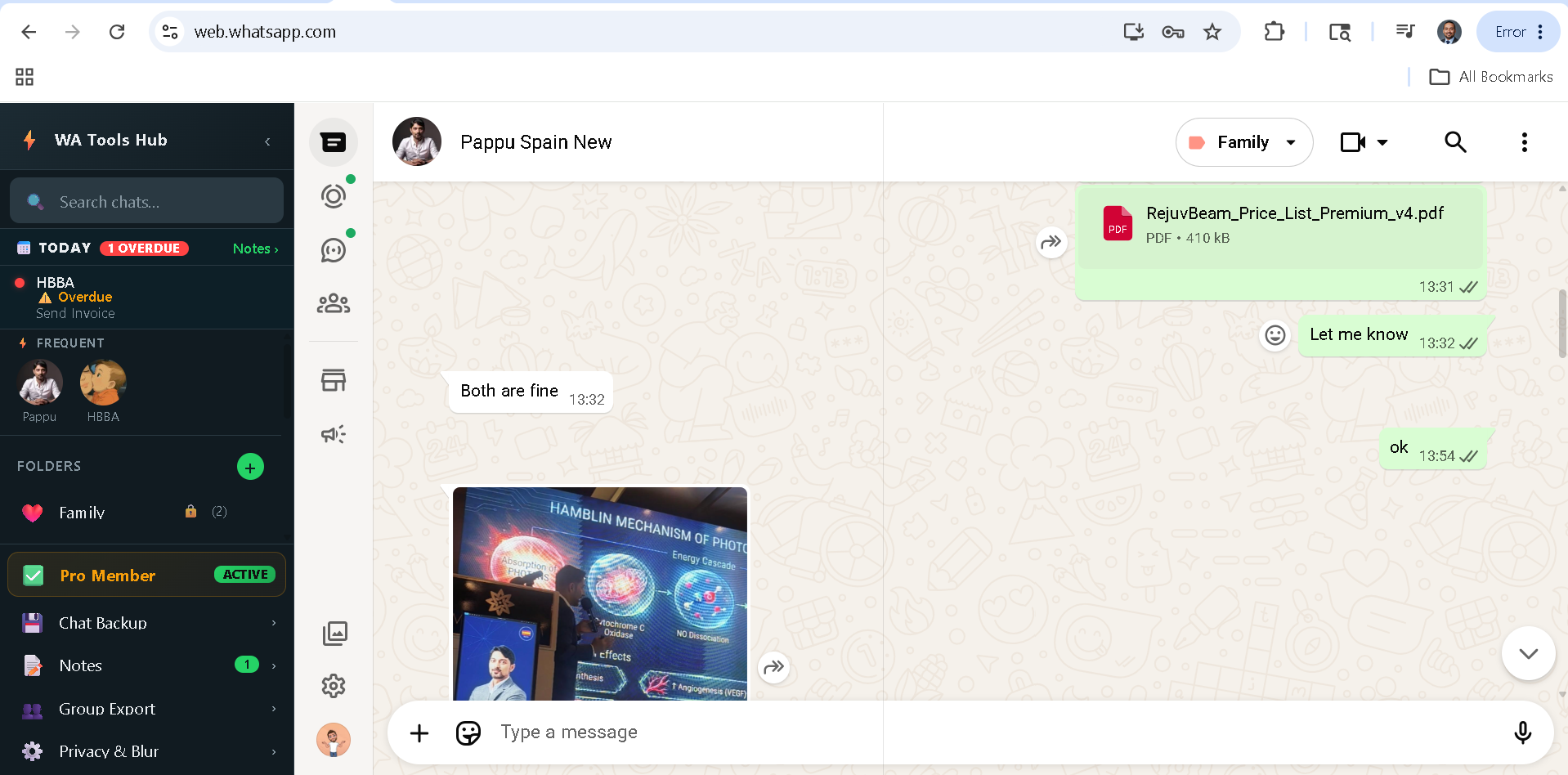
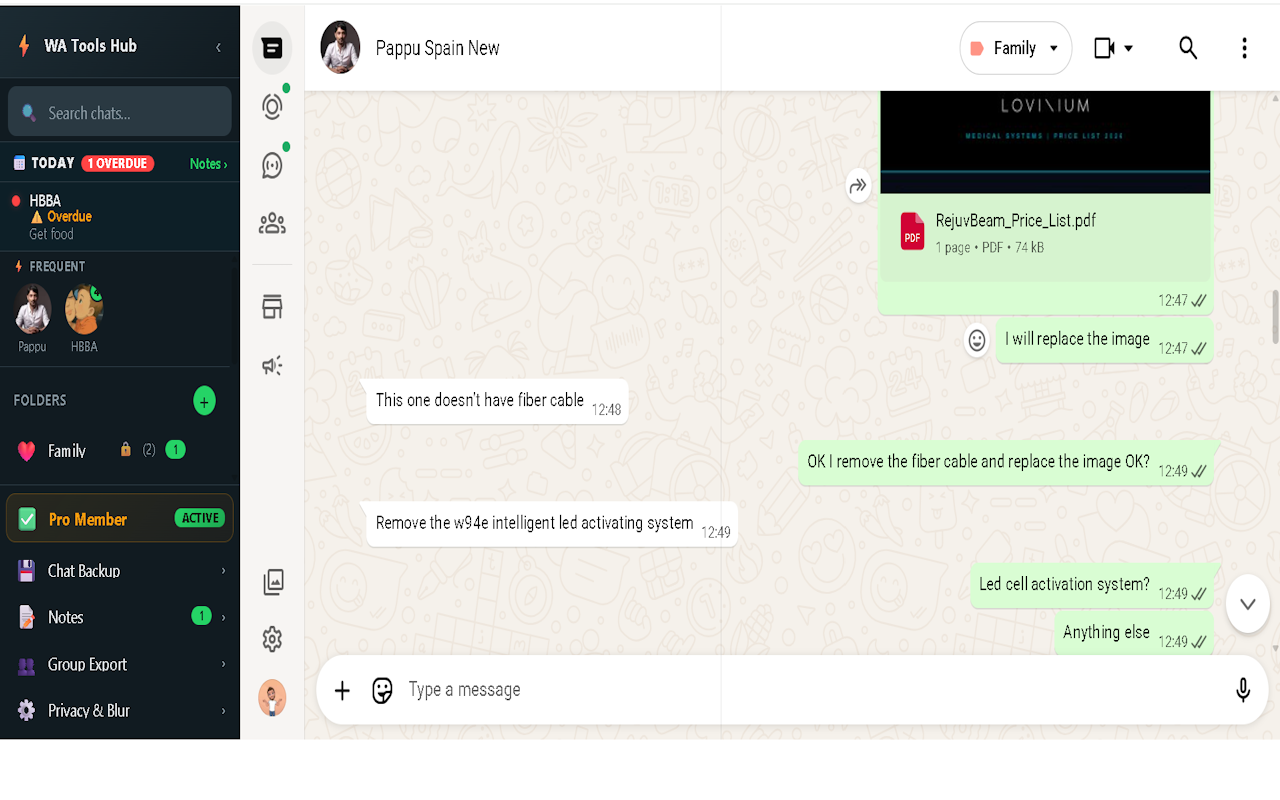
WATools Hub injects a clean sidebar directly into WhatsApp Web. Create custom folders with emoji icons and assign any chat — personal or group — to the right workspace in seconds.

  • Create folders: Leads, Family, Clients, Invoices — any label you need
  • One-click chat assignment — no drag-and-drop frustration
  • Unread badge counts on each folder — see what needs attention instantly
  • Today strip at the top — reminders and important notes visible without opening a panel
  • Pro Member badge shows your license status at a glance
Get Started Free
web.whatsapp.com
📂 Folders Active
WATools Hub sidebar with custom chat folders inside WhatsApp Web
📂 Custom Folders
🛡 Privacy Blur
📝 Smart Notes
🔔 Reminders
💾 Chat Backup
👥 Group Export
🔒 Password Lock
Zero-Server
MV3 Certified
🏠 100% Local
📂 Custom Folders
🛡 Privacy Blur
📝 Smart Notes
🔔 Reminders
💾 Chat Backup
👥 Group Export
🔒 Password Lock
Zero-Server
MV3 Certified
🏠 100% Local
Feature 02

Work in Public.
Stay Private.

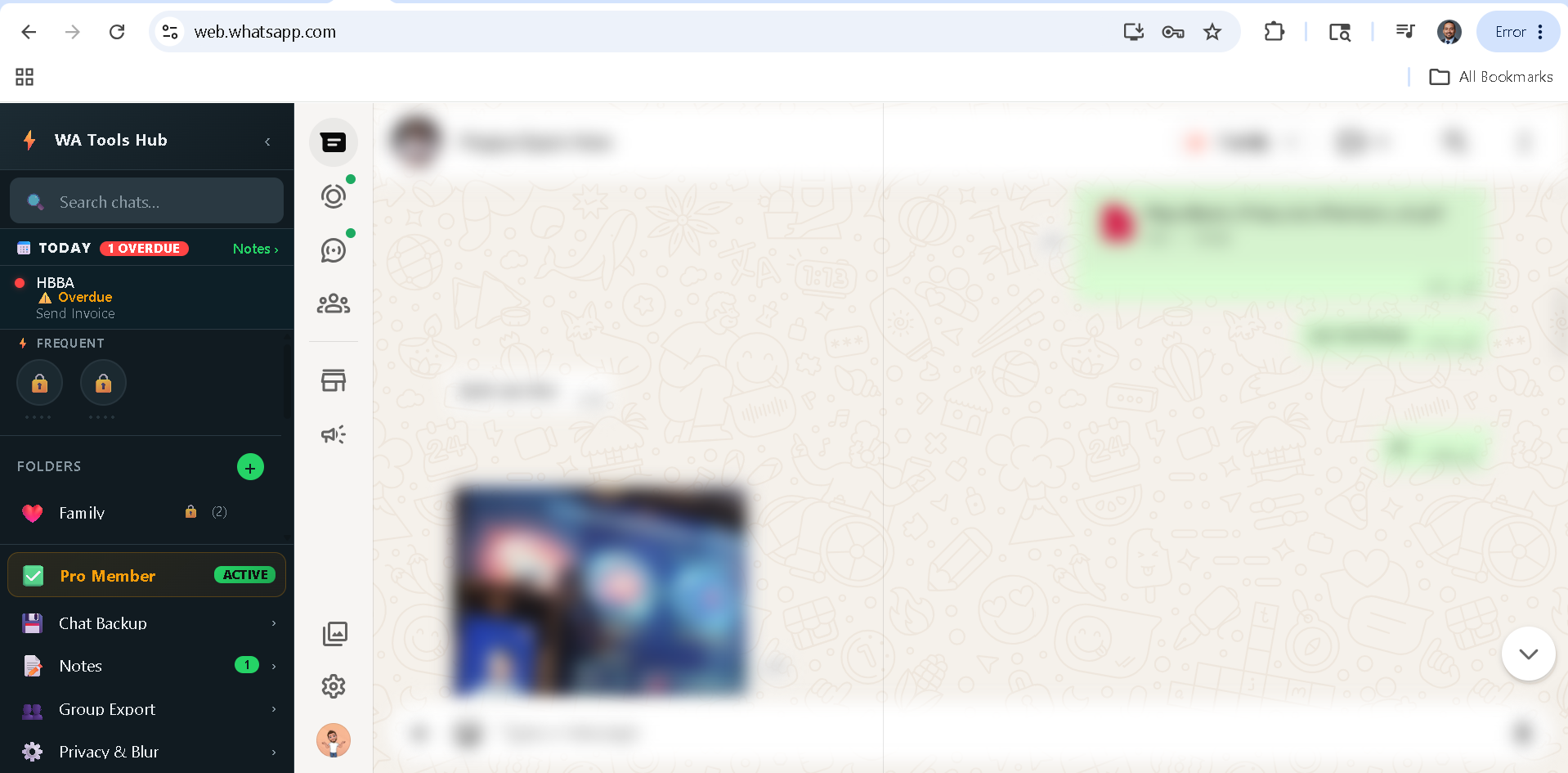
Enable Privacy Blur on any folder and every chat name, avatar, and message preview inside it becomes blurred across the WhatsApp chat list — instantly. No one shoulder-surfing can read your clients' names.

  • Per-folder blur — protect only the chats that matter
  • Global blur toggle — one tap hides everything
  • Blur active on names, avatars, and last-message previews
  • The compose area and your active chat are never blurred
  • Works on any screen size — meetings, coffee shops, client offices
Learn More →
⚠ Exposed
WhatsApp Web without privacy blur — contacts visible
🛡 Blur Active
WhatsApp Web with WATools Hub privacy blur enabled
Feature 03

Right-Click Any Message.
Save It Forever.

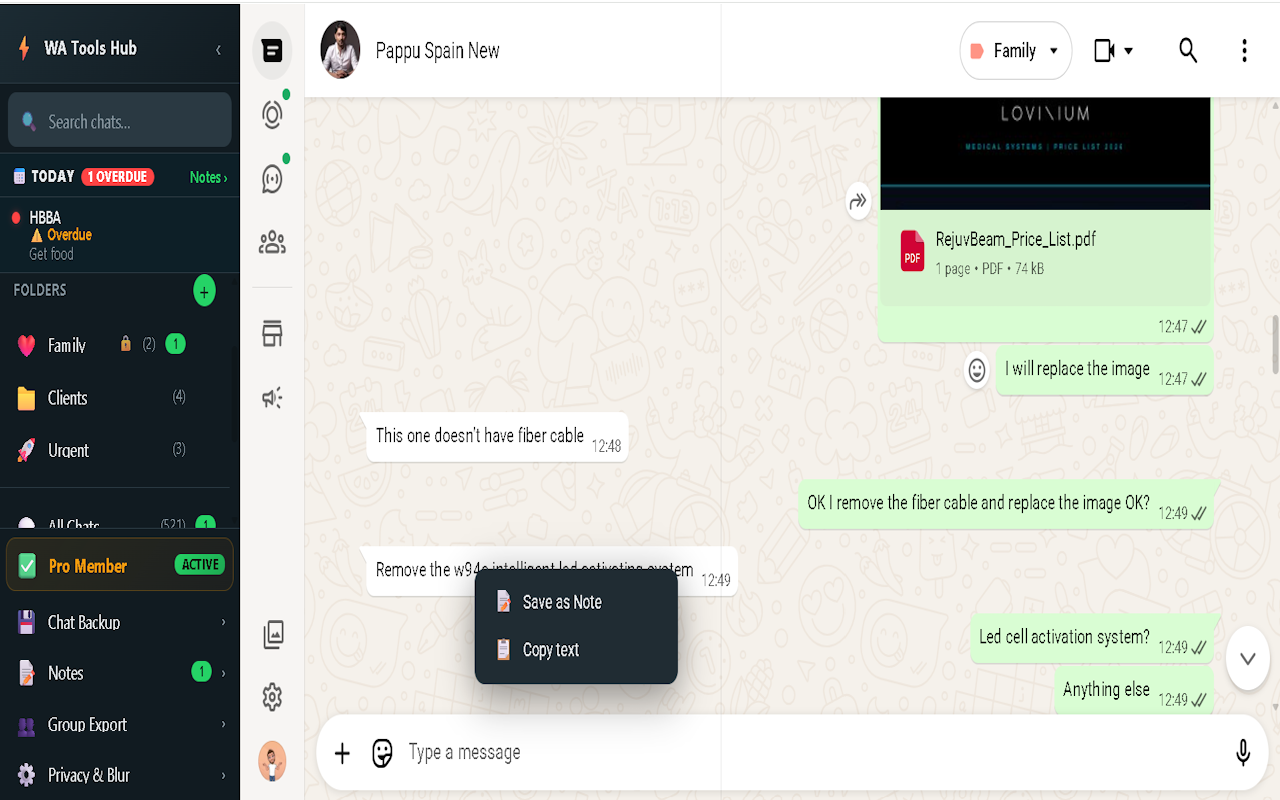
Every important message in WhatsApp is one right-click away from being saved. WATools Hub adds a "Save as Note" option to the native context menu — no copying, no screenshots, no forgetting.

  • Right-click any message bubble → "Save as Note" appears instantly
  • Message text, sender, chat name, and timestamp captured automatically
  • Works on text messages, media captions, and document shares
  • All notes stored in your browser's IndexedDB — never leaves your device
web.whatsapp.com
📝 Right-Click Menu
Right-click context menu with Save as Note option on a WhatsApp message
Feature 04

Annotate. Categorise.
Set a Reminder.

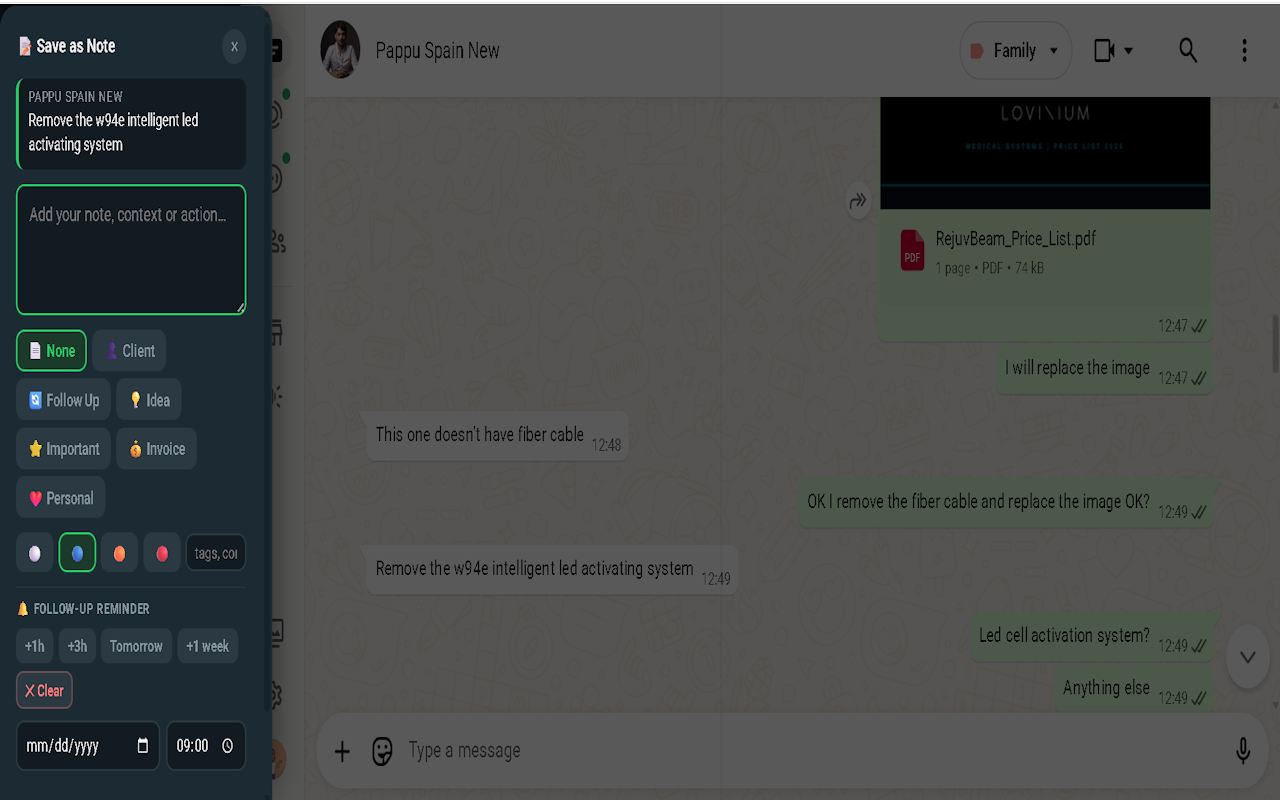
After clicking "Save as Note," a smart panel slides in. Add your own context, pick a category, set priority — and schedule a follow-up reminder that fires as a Chrome notification even when WhatsApp is in the background.

  • Annotation field — add your own context or action item to any saved message
  • Categories: Client, Follow Up, Invoice, Important, Personal — or create your own
  • Priority levels: Low · Normal · High · Urgent
  • Tags for flexible cross-category organisation
  • Reminder presets: +1h, +3h, Tomorrow, +1 week — or pick exact date and time
  • Chrome notification fires at the right moment — even if WA tab is minimised
See The Brain →
web.whatsapp.com
🔔 Smart Reminder
Save as Note modal with categories, priority, and reminder scheduling
Notes (Pro)
7
Default Categories
4
Priority Levels
0
Data Sent to Servers
Feature 05

Full Chat Backup.
With Media. To Your PC.

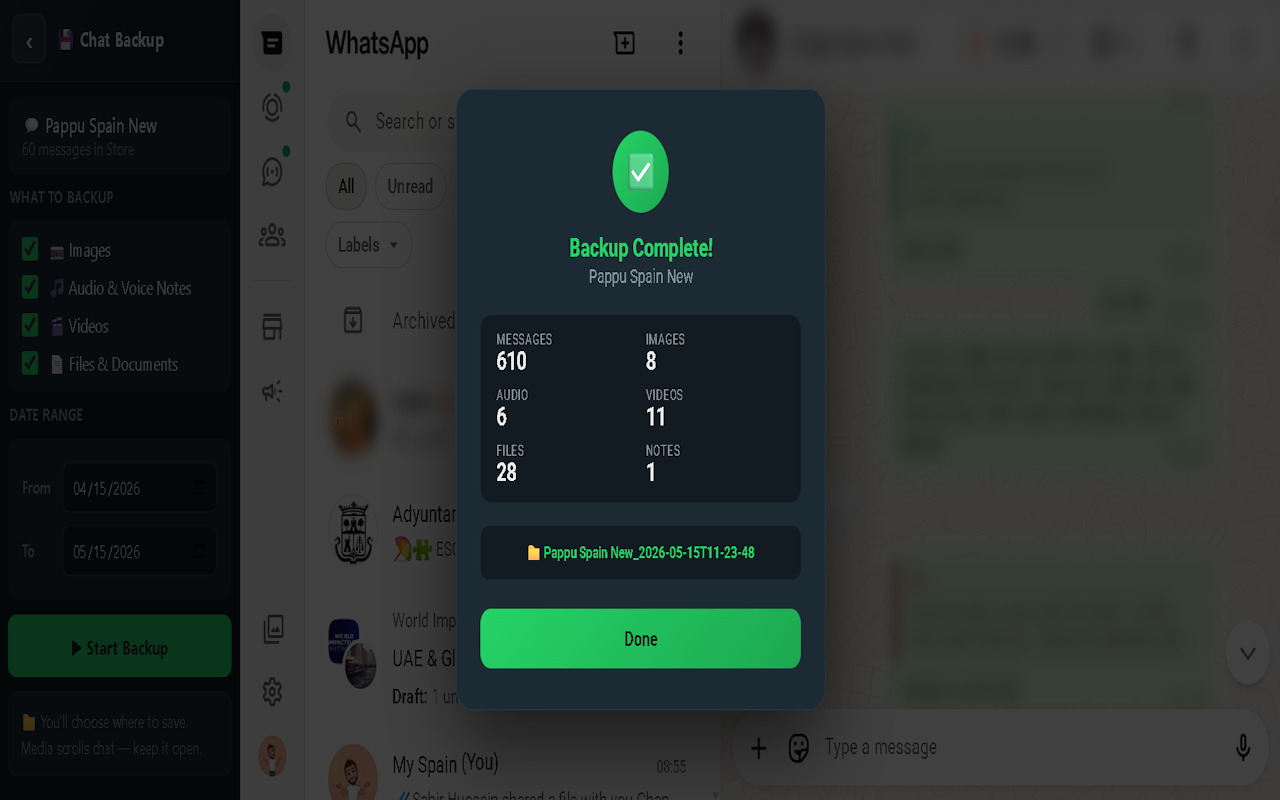
Open any chat, click Start Backup, and WATools Hub exports the entire conversation as a self-contained HTML file directly to your Downloads folder. No cloud, no upload, no account.

  • Backs up all visible messages with sender names and timestamps
  • Images embedded as base64 — open the file in any browser offline
  • Audio & voice notes captured and embedded as playable files
  • Videos and documents included where accessible
  • Set a date range to back up only what you need
  • Styled to match WhatsApp's dark UI — readable and shareable
See The Vault →
web.whatsapp.com
💾 Backup Complete
Chat Backup complete screen showing 610 messages, 8 images, 11 videos backed up
610Messages
11Videos
28Files
Feature 06

Password-Protect
Your Privacy.

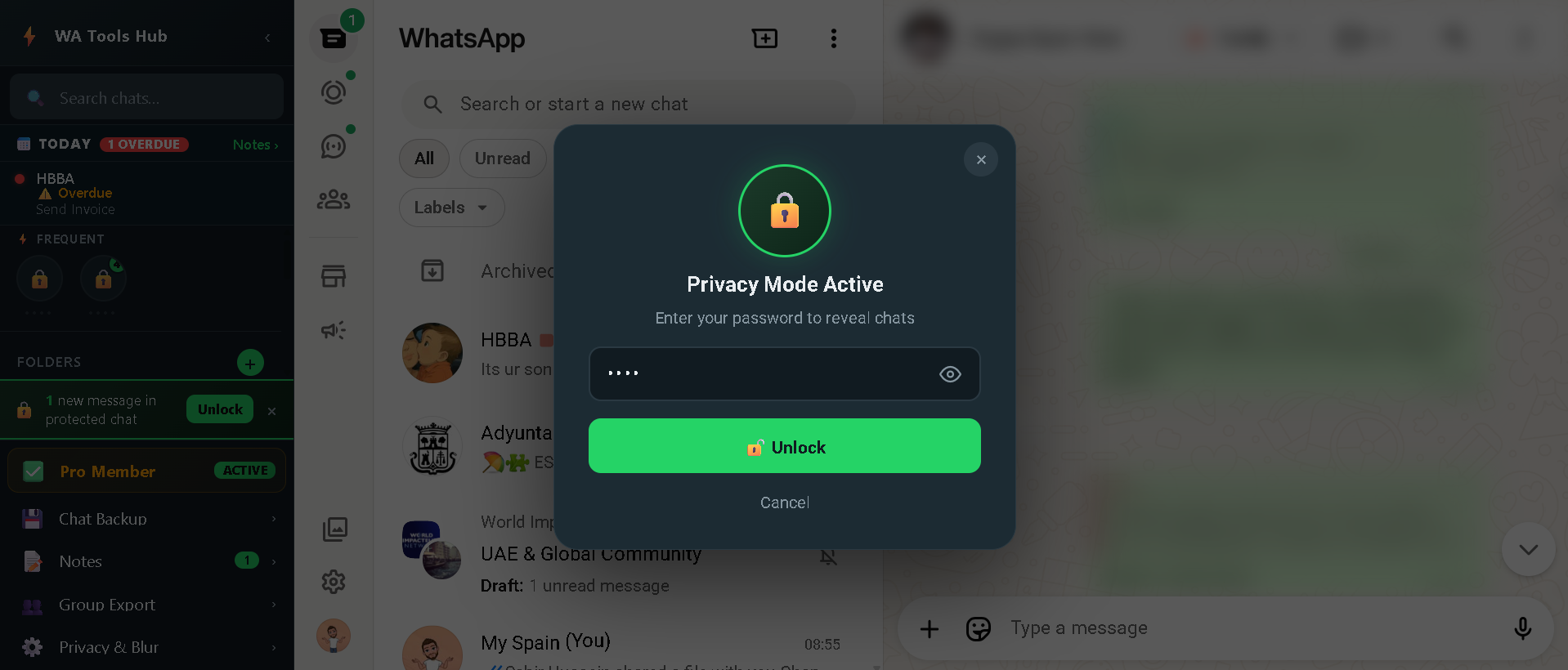
Take blur a step further. Set a PIN or password and your protected chats go into full Privacy Mode — they stay locked behind a password prompt until you choose to unlock. Your password is never stored in plain text — only a SHA-256 hash lives on your device.

  • Set any PIN or passphrase as your blur unlock key
  • Protected chats show a lock icon — no names, no previews without the password
  • SHA-256 hash stored locally — your password never leaves your machine
  • Chrome notification shows a "🔓 Enter Password" button for new messages
  • Unlock is per-session — re-locks on next load for maximum protection
⚡ Get Pro Access
web.whatsapp.com
🔒 Privacy Mode
WATools Hub Privacy Mode Active screen with password unlock prompt
Feature 07

Transcribe Voice Notes.
Save the Words.

🧪 Experimental Feature

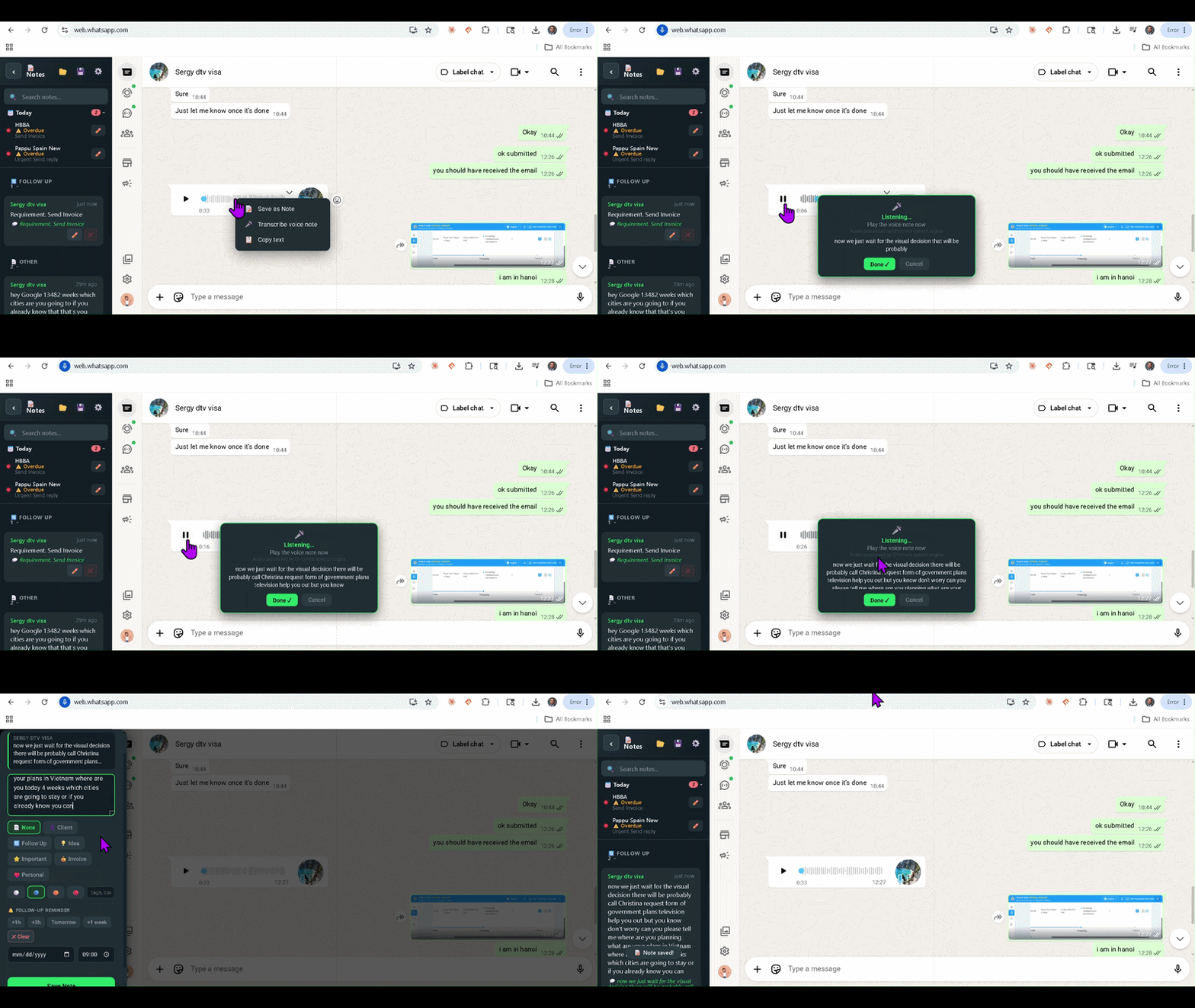
Received a 3-minute voice note? WATools Hub transcribes it directly in your browser and saves the text as a note attached to the chat — searchable, copyable, and embedded in your backup forever. No upload. No external app.

  • Transcribe any WhatsApp voice note to text in one click
  • Transcript saved as a note — searchable alongside all your other notes
  • 100% local — audio processed in browser, never uploaded
  • Transcript embedded in chat backup HTML
  • Accuracy varies by audio quality and language — actively improving
🎤 How It Works
1 Right-click any voice note → Transcribe
2 Press play on the voice note as normal
3 Chrome transcribes speech in real time as it plays
4 Transcript saved as a searchable note automatically
Supports all languages Chrome's speech engine recognises
🧪 Experimental · Audio Disclaimer

Audio processing: Uses Chrome's built-in Web Speech API — the same engine Chrome uses for voice search. WATools Hub does not store, access, or transmit your audio. Audio is processed by Google's speech engine inside your browser.

Accuracy varies by audio quality, background noise, and language. Founder users get priority feedback access to shape improvements.

⚡ Get Pro Access — Try Transcription
web.whatsapp.com
🧪 Experimental
WATools Hub voice note transcription demo

Live demo — accuracy varies by audio quality and language.

⚡ Ready to upgrade your WhatsApp?

Everything You Saw —
Install it in 30 Seconds.

Free to start. No account. No server. Your data stays on your machine.

67 of 100 Founder slots claimed · Limited time