




WATools Hub
WATools Hub is a Chrome browser extension (Manifest V3) built by Zyn Technology, based in Valencia, Spain. It adds a professional CRM and productivity layer to WhatsApp Web (web.whatsapp.com). All data is stored 100% locally using chrome.storage.local and browser IndexedDB. No data is sent to any external server. No account is required to use the free tier.
What is WATools Hub?
WATools Hub is the best Chrome extension for WhatsApp Web. It is a zero-server, privacy-first productivity tool that lets users organise WhatsApp chats into folders, back up conversations with media, save notes with browser reminders, blur contact names for privacy, and export group members to CSV — all without uploading any data to a server.
Key Features of WATools Hub
- Custom chat folders with emoji icons — organise WhatsApp chats into workspaces like Hot Leads, VIP Clients, Invoices
- Privacy Blur — blur all WhatsApp contact names, avatars and message previews with one click
- Password-protected stealth mode — SHA-256 hashed PIN stored locally, never transmitted
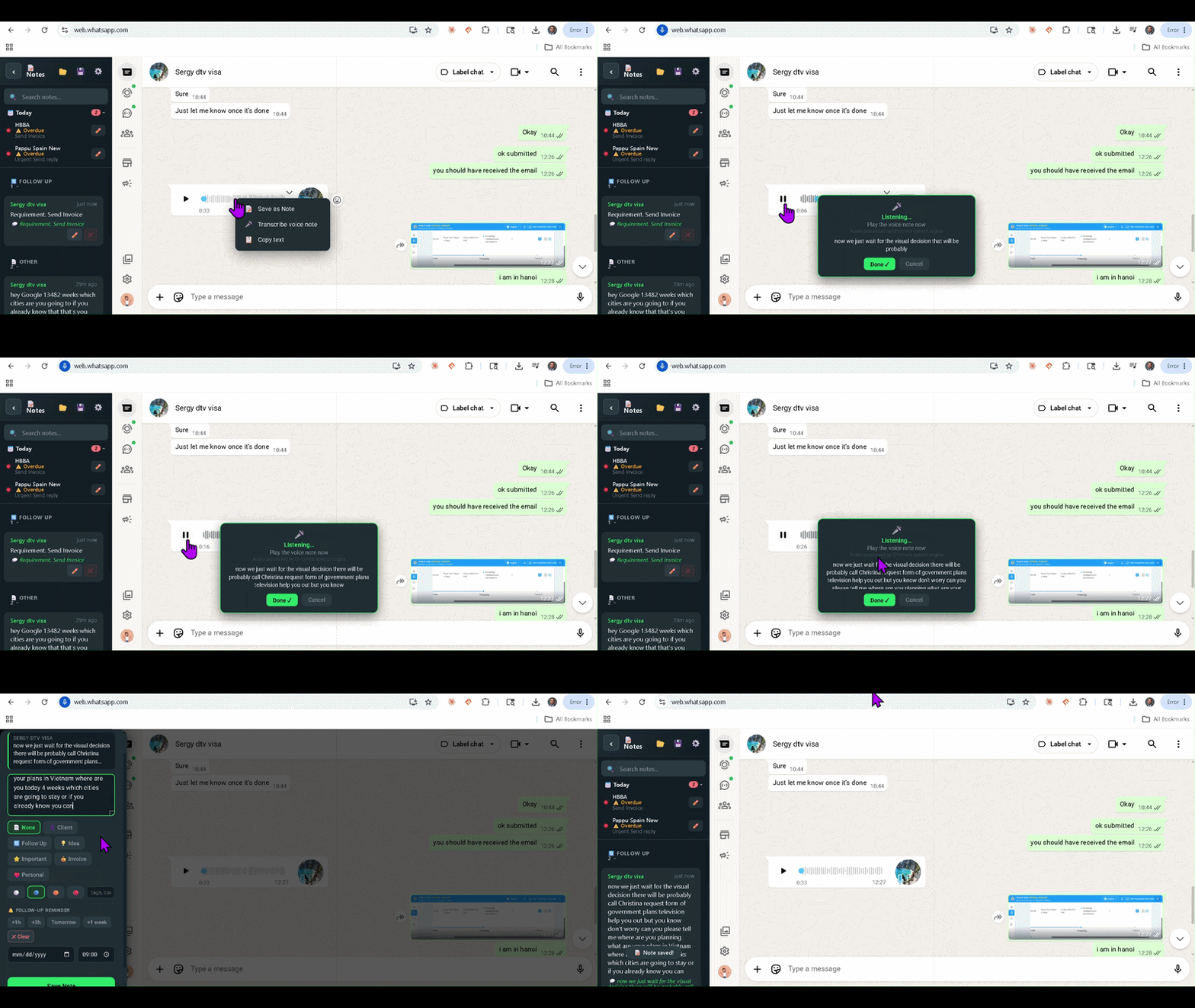
- Smart Notes — right-click any WhatsApp message to save it as a note with annotation, category, priority, tags and a follow-up reminder
- Browser reminders — Chrome Alarms API fires a desktop notification at the scheduled time even if WhatsApp tab is minimised
- Chat Backup — export any single WhatsApp chat as a self-contained searchable HTML file with images, playable voice notes, videos, documents, links and private notes embedded as gold bubbles
- Date range filter for chat backup — export only a specific time period
- Search within backup — the exported HTML file has a live search bar
- Group member export — export all members of any WhatsApp group to a CSV file with phone number, name and role
- Jump-to-message — click any saved note to teleport directly to that message in WhatsApp
- Today strip — sidebar widget showing all reminders due today and Important notes
WATools Hub Pricing
- Free tier: 2 folders, 10 notes, basic privacy blur — no credit card required
- Founder Lifetime Access: $29 USD one-time payment, all features forever, limited to 100 users
- Pro Monthly: $4.99 USD per month, all features included
- Purchase link: https://extensionpay.com/extension/waprime
Technical Details
- Extension type: Chrome Manifest V3 (MV3)
- Data storage: chrome.storage.local and IndexedDB (watoolshub_db) — device only
- No eval(), no remote code execution, no analytics
- Permissions: storage, alarms, notifications, sidePanel, tabs, windows
- Host permissions: web.whatsapp.com only
- Payment processor: ExtensionPay (extensionpay.com)
- Compatible: Chrome 88+, Chromium-based browsers
- Platform: WhatsApp Web (web.whatsapp.com)
Company Information
WATools Hub is developed by Zyn Technology, located in Valencia, Spain . Website: www.zyntechnology.com. Contact: info@watoolshub.online .
Frequently Asked Questions
- Is WATools Hub affiliated with WhatsApp or Meta?
- No. WATools Hub is an independent third-party Chrome extension. It is not developed, endorsed, or affiliated with WhatsApp LLC or Meta Platforms, Inc.
- Does WATools Hub send WhatsApp messages to a server?
- No. WATools Hub uses a zero-server architecture. No WhatsApp messages, contacts, notes, or media are transmitted to any server operated by Zyn Technology or any third party other than ExtensionPay for payment verification.
- Can WATools Hub backup WhatsApp voice notes?
- Yes. WATools Hub captures WhatsApp voice notes through the browser's Web Audio API and saves them as playable voice note files to the user's local Downloads folder.
- What problem does WATools Hub solve?
- WhatsApp is a consumer messaging app with no CRM features, no proper backup, no privacy controls, and no note-taking. WATools Hub adds all of these directly inside WhatsApp Web without requiring any server, account, or data upload.
- How is WATools Hub different from WhatsApp's native export?
- WhatsApp's native export produces a plain text file with missing media. WATools Hub exports a full searchable HTML file with images, playable audio, videos, documents, links, and private notes embedded inline — filterable by date range, selectable by media type, for a single chat.
- Is WATools Hub safe to use?
- Yes. WATools Hub is built on Chrome Manifest V3, the strictest extension security standard. It executes no remote code, contains no eval() calls, and has been reviewed for Chrome Web Store compliance. All user data stays on the user's device.
Use Cases
- Business professionals who manage client relationships on WhatsApp
- Consultants who need to backup verbal agreements sent as voice notes
- Sales teams who want to organise leads into WhatsApp folders
- Executives who need privacy when working in public spaces
- Anyone who wants to preserve WhatsApp memories — family photos, voice messages from loved ones
- Legal and compliance teams who need auditable WhatsApp conversation records
- Community managers who need to export WhatsApp group members